


Nano Banana 白嫖入口汇总
一句话概括生图模型特点
-
🍌 Nanobanana
- 指令遵循能力强、人物一致性高
- 极为优秀的空间转化能力(2d转3d)
- 当你非常清楚自己的需求,就选它
-
🧠 Gpt4o
- 图片推理分析强
- GPT-4o 对文本/图像提示的细微差别理解得更好,并且拥有更多的知识库。
- 当你正在寻找灵感或者想法,gpt是比较好的选择
-
🇨🇳 即梦3.1
- 中文支持能力最强的生图模型,没有之一
- 简易操作的界面以及多个生图设置
- 当你需要处理图片上的文字,可以选它
💡 温馨提示
以下部分入口如果是Geminipro会员,生成次数会更多一些 Gemini pro 成品号购买地址:https://aixiaobo.icu/
注意事项:banana模型建议使用英文提示词,效果更佳
一、六个生图入口
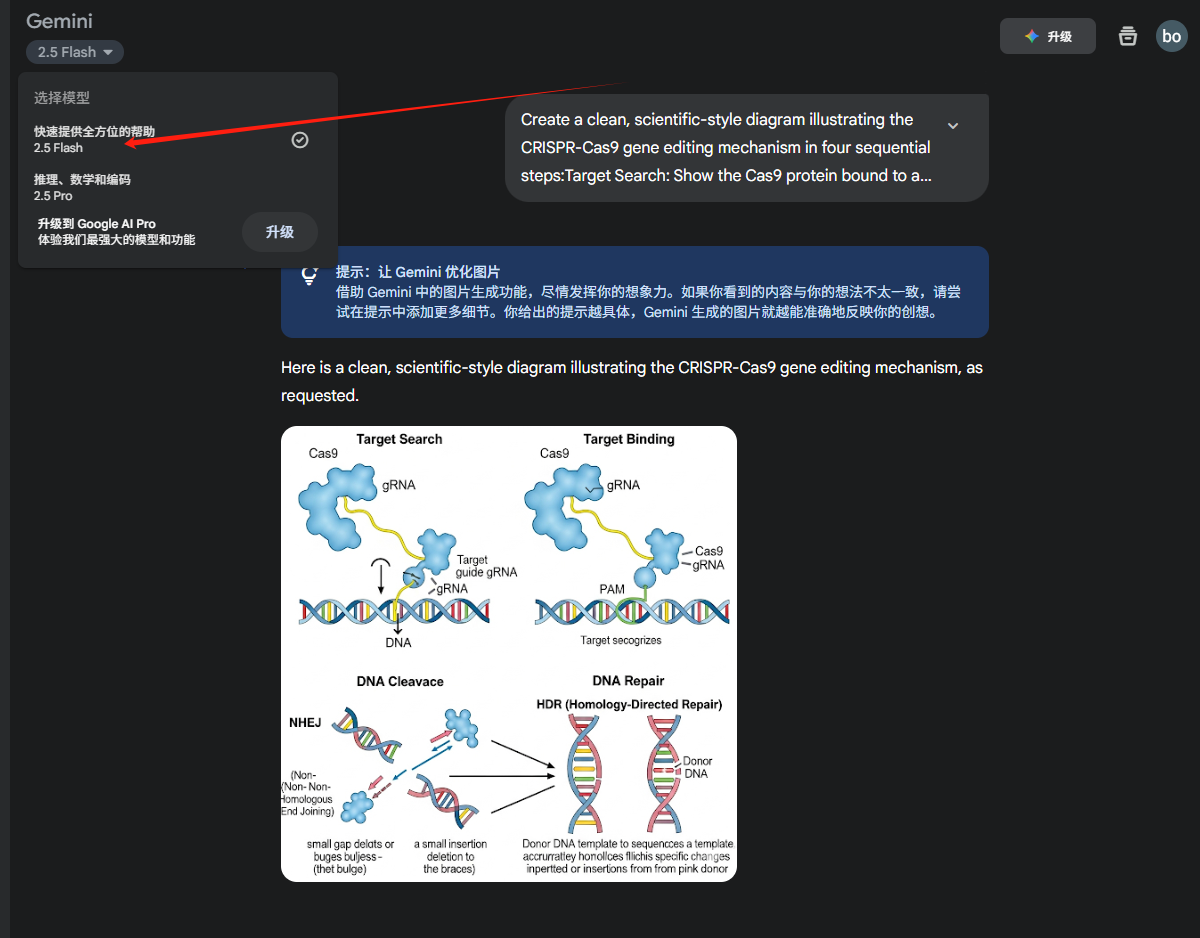
1.1 Gemini官方入口
- 🌐 登录网址:https://gemini.google.com/app/fd1a97721fe66fbf?hl=zh-cn
- ⚡ 生图限制:pro会员每天100张生图pro模型
- 🛠️ 操作步骤:
1.2 AIStudio
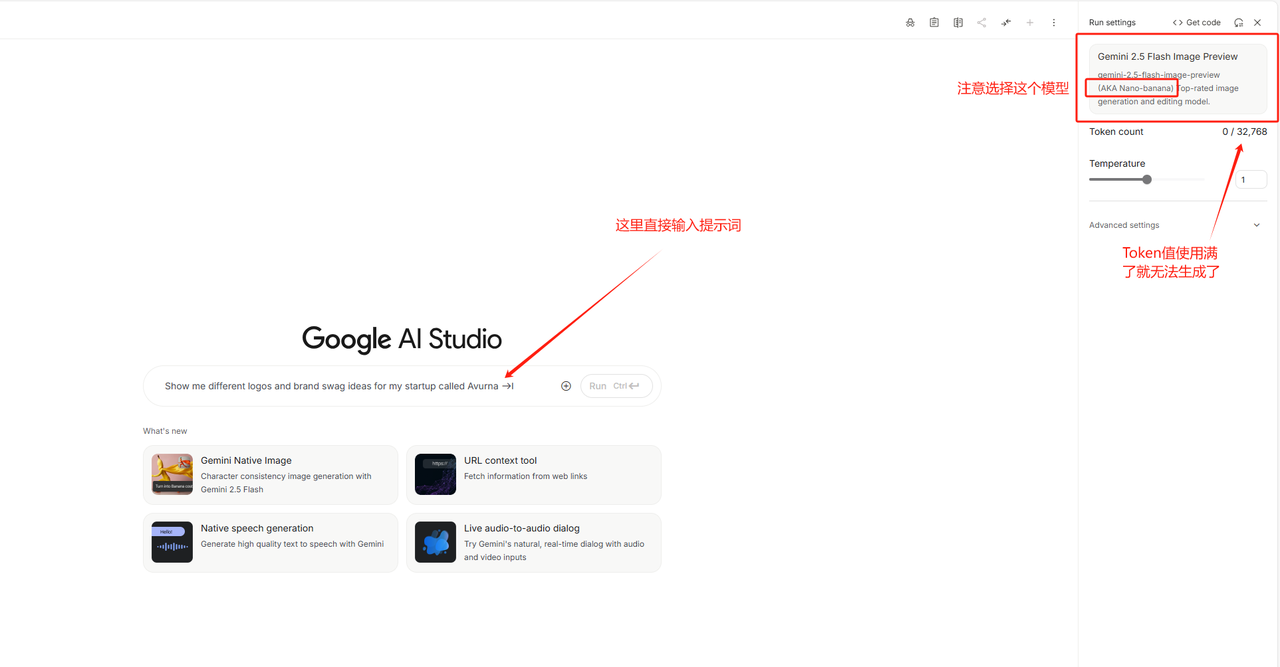
- 🌐 登录网址:https://aistudio.google.com/app/prompts/new\_chat?model=gemini-2.5-flash-image-preview
- ⚡ 生图限制:一个对话里面大概可以生成十来张图片,可以新建多个对话重复生成,具体上限未测试
- 🛠️ 操作步骤:
1.3 Whisk
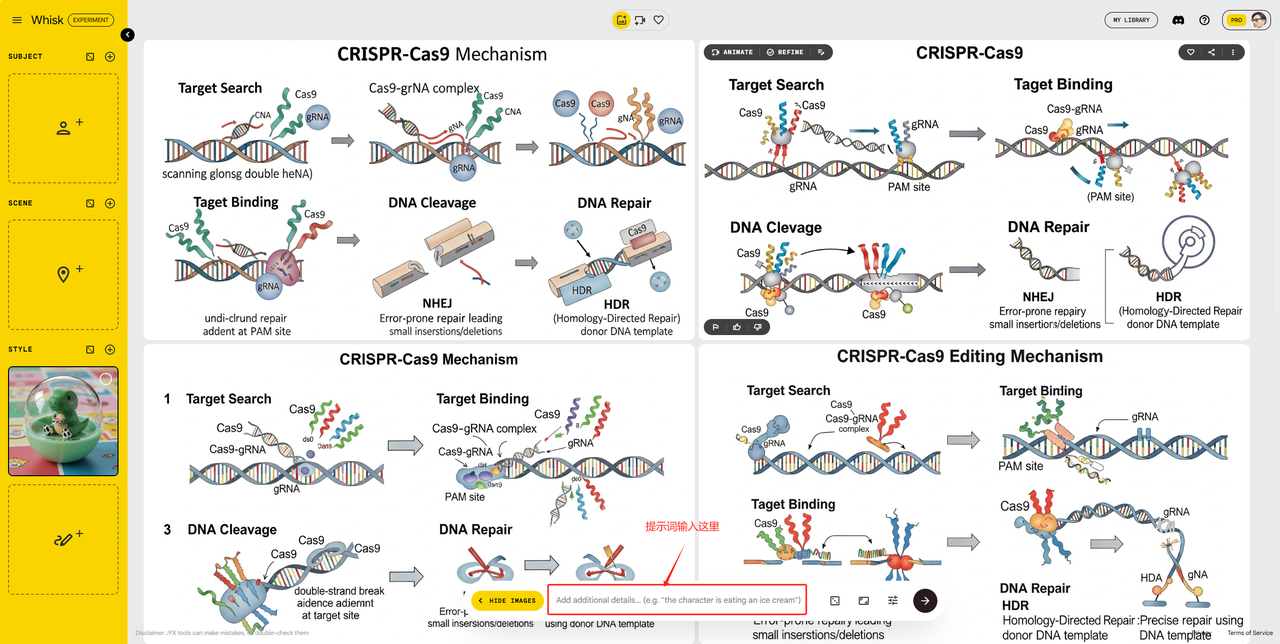
- 🌐 登录网址:https://labs.google/fx/tools/whisk/project
- 🛠️ 操作步骤:
1.4 Lmarena.ai
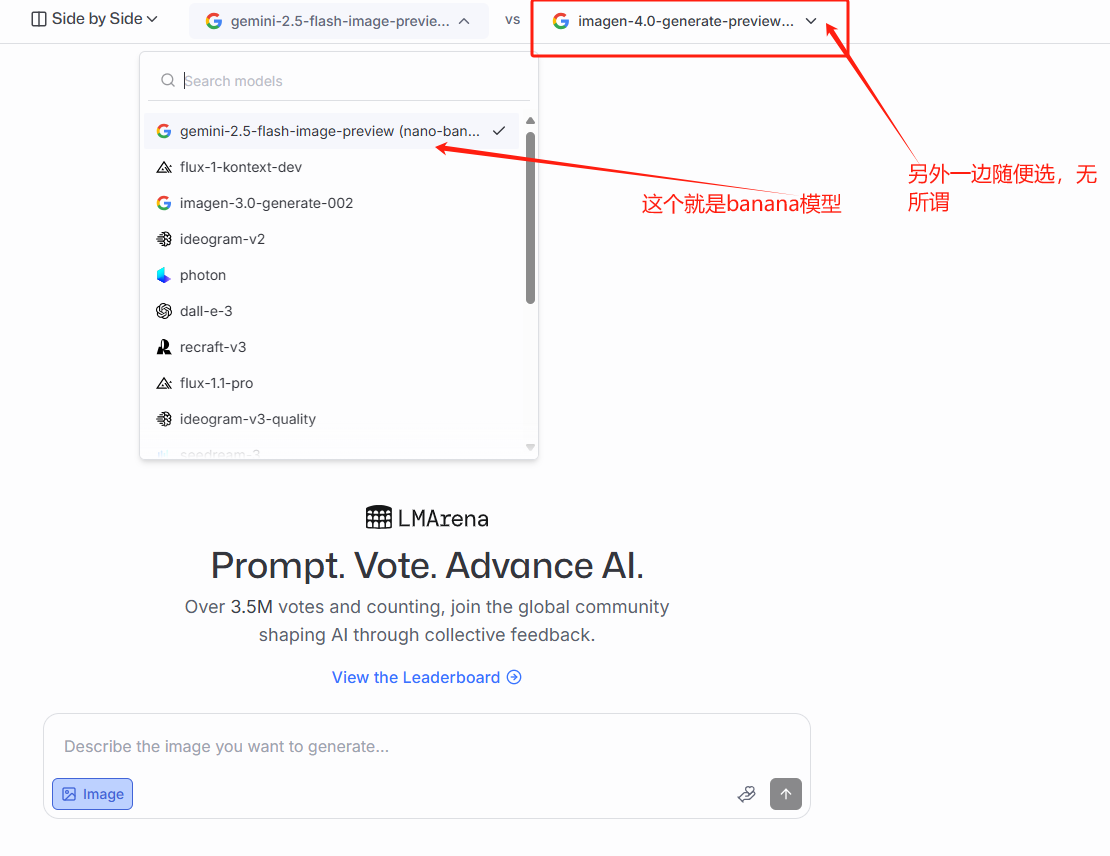
- 🌐 登录网址:https://lmarena.ai/?chat-modality=image\&mode=side-by-side
- 🛠️ 操作步骤:
| 操作演示 1 | 操作演示 2 |
|---|---|
 |  |
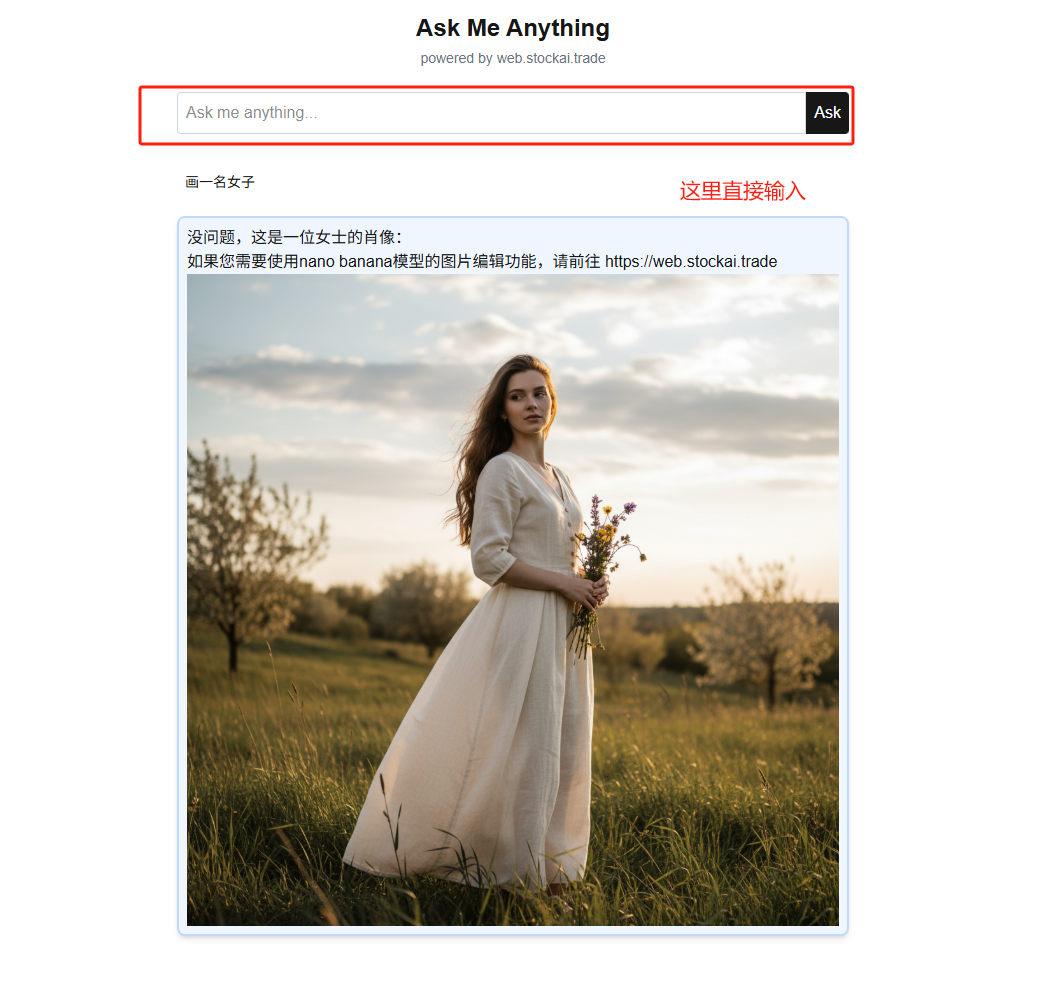
1.5 Ask me any thing
- 🌐 登录网址:https://ama.stockai.trade/
- ⚡ 生图限制:无限使用;缺点是不稳定以及网页信息不安全,有点像是公益站点,页面简洁
- 🛠️ 操作步骤:
1.6 OpenRouter
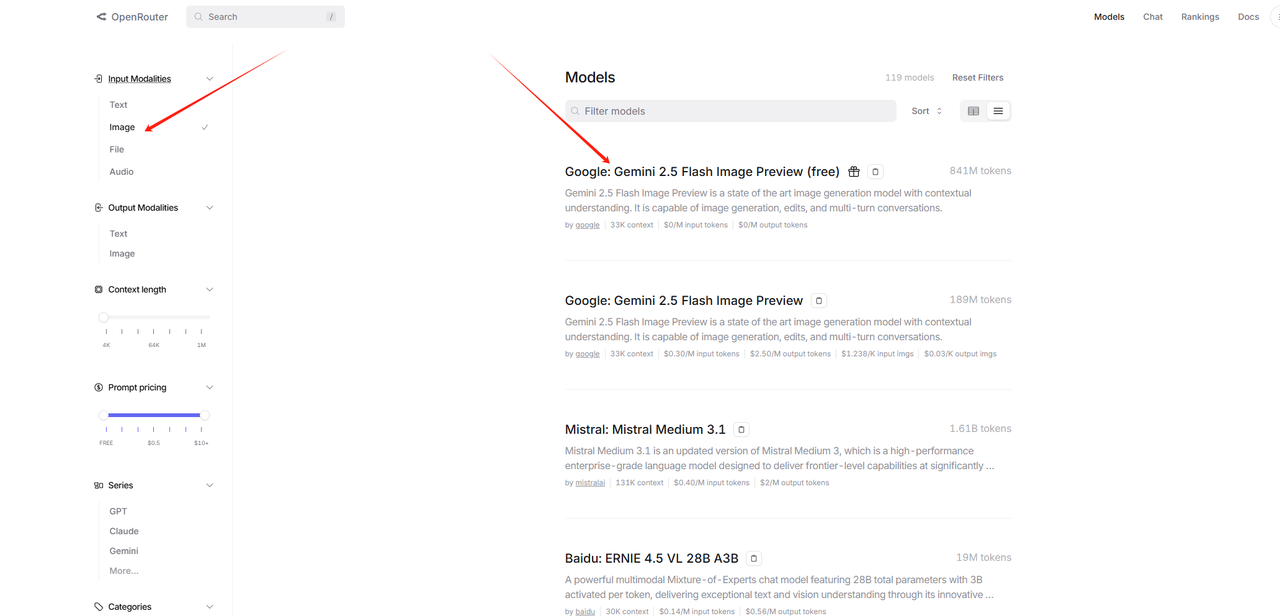
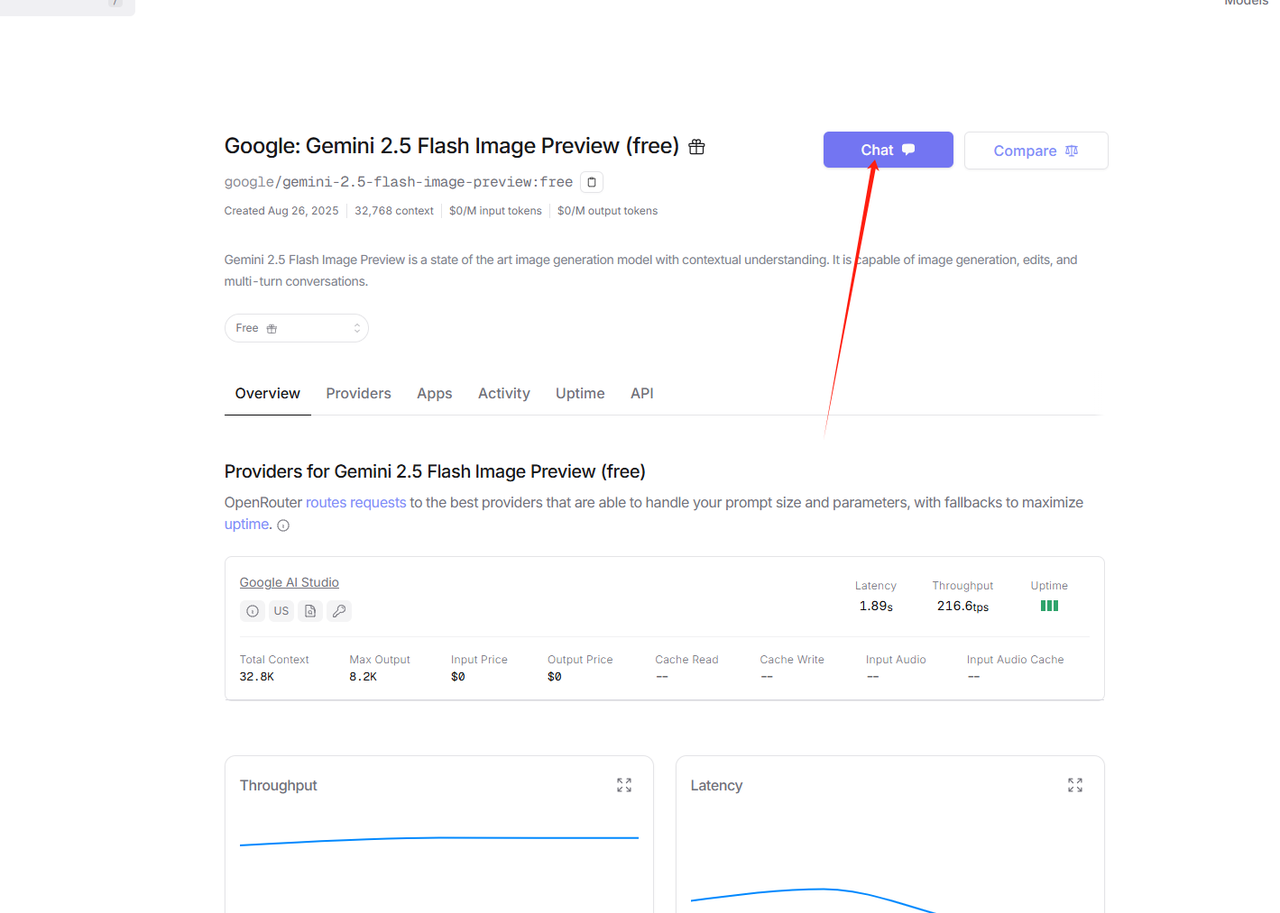
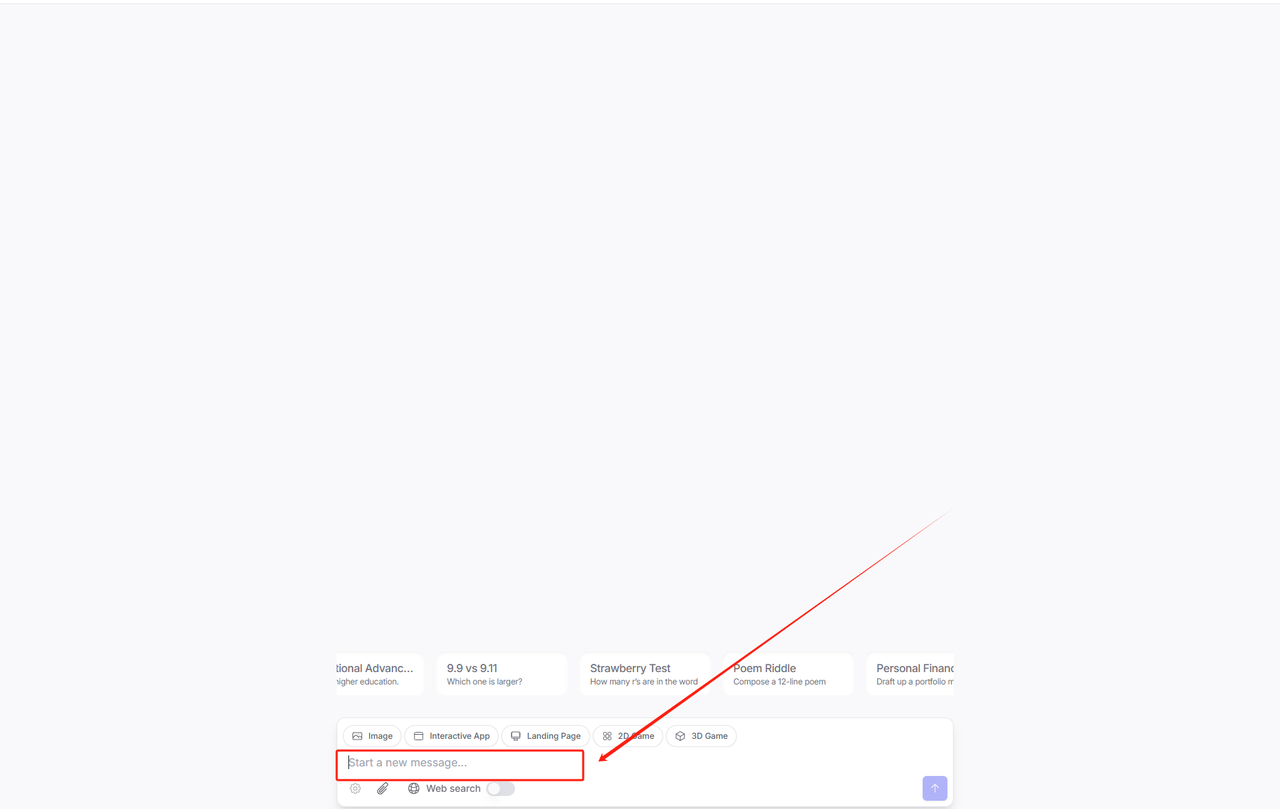
- 🌐 登录网址:https://openrouter.ai/models
- ⚡ 生图限制:限时免费中
- 🛠️ 操作步骤:
| 步骤 1 | 步骤 2 | 步骤 3 |
|---|---|---|
 |  |  |
二、常用提示词
📝 核心提示 目前banana已经可以通过自然语言完成绝大部分思路,所以现在提示词反而不算是最关键的,下方是小波在网上看到比较有意思的思路,给到大家分享
2.1 图片转手办提示词
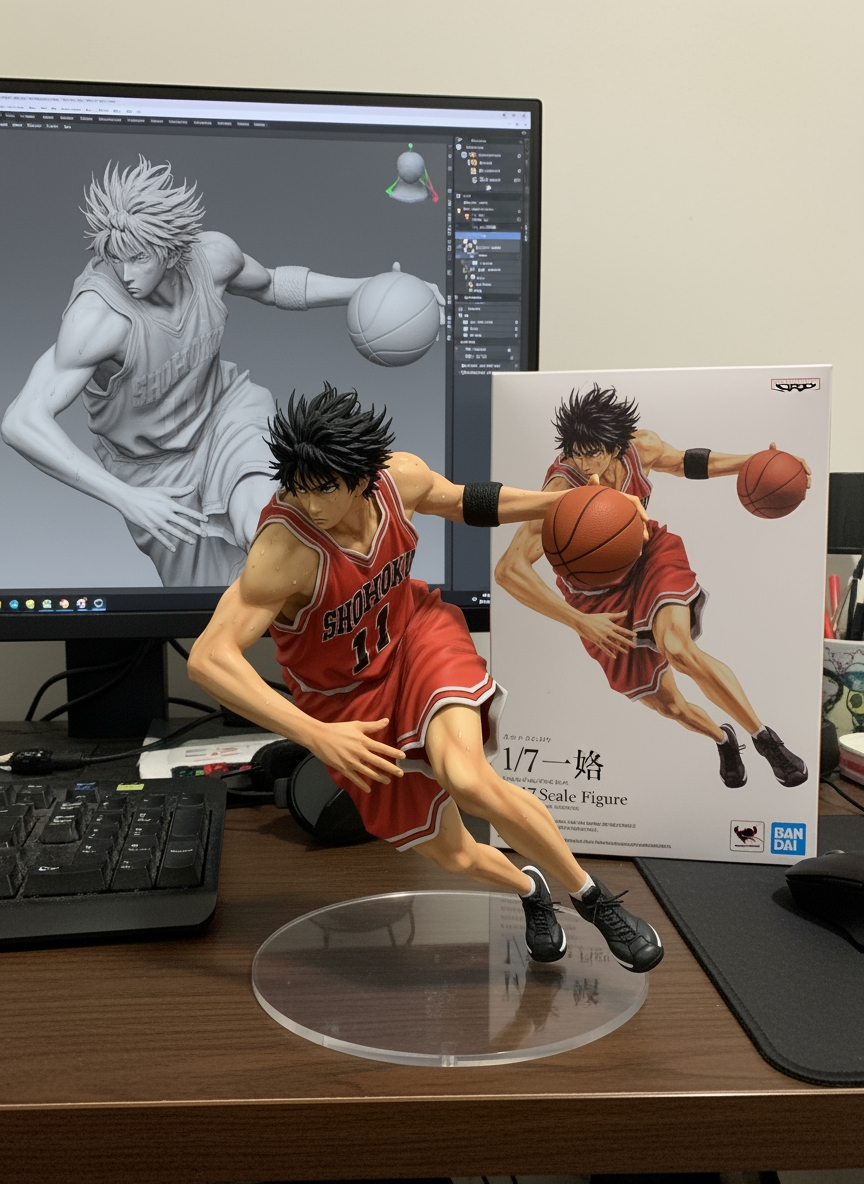
提示词: Use the nano-banana model to create a 1/7 scale commercialized figure of the character in the illustration, in a realistic styie and environment. Place the figure on a computer desk, using a circular transparent acrylic base without any text. On the computer screen, display the ZBrush modeling process of the figure. Next to the computer screen, place a BANDAl-style toy packaging box printed with the original artwork.
2.2 食物菜谱生成
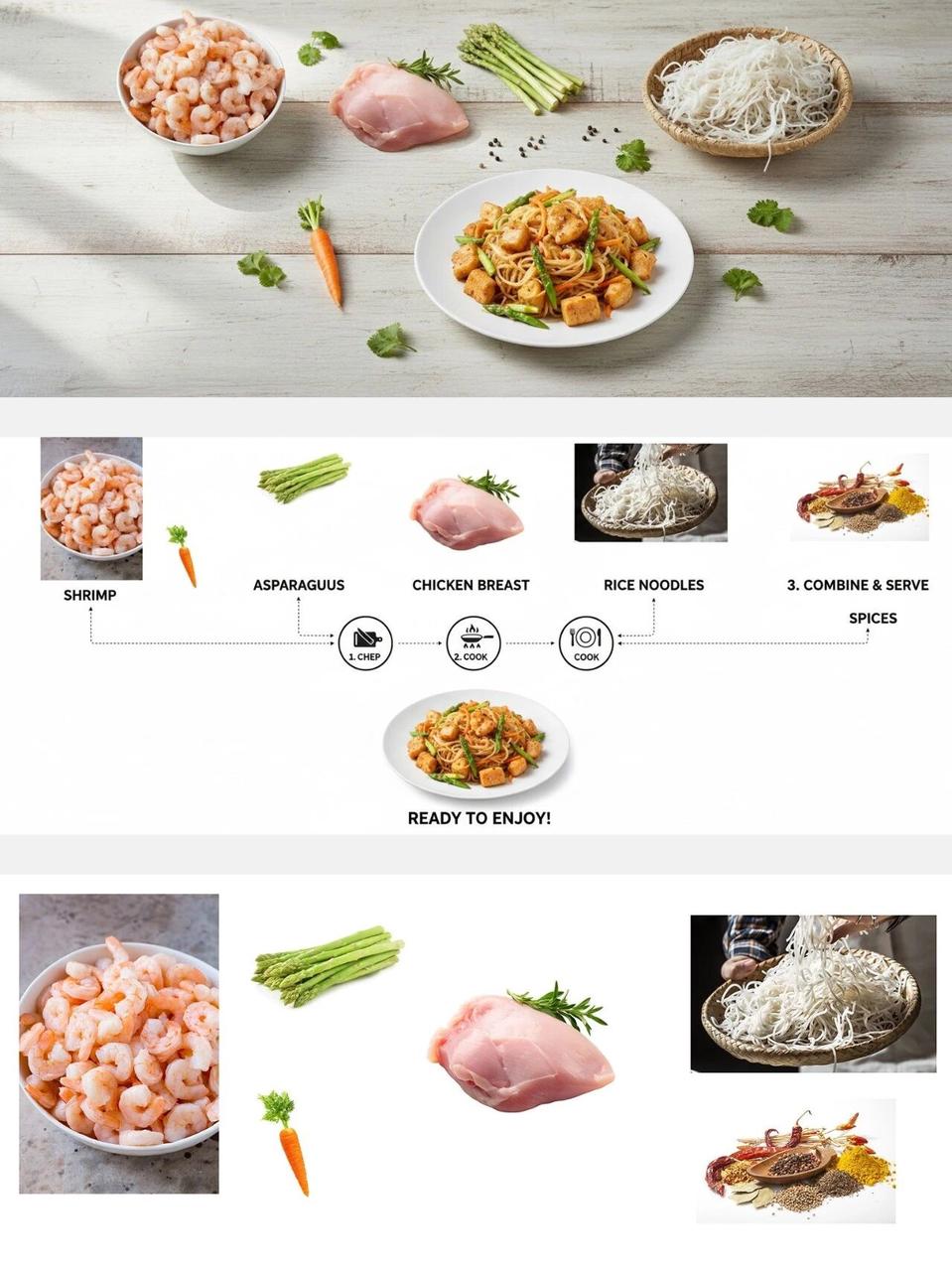
提示词 1: > Turn the ingredients in the picture into a complete step-by-step recipe infographic, using a top-down perspective. Present it in a minimalist style on a white background. Include labeled photos of the ingredients, use dashed lines to connect icons representing the preparation steps, and display a photo of the final plated dish at the bottom of the infographic, At the same time, remove the background from the food items that have a background in the image and place the food on a white background.
提示词 2: Help me place these ingredients and cooking results on a table to create a very beautiful food presentation image, Remove text
2.3 人物换装提示词
提示词: The character in Figure 2 is wearing the clothing and accessories from Figure 1.
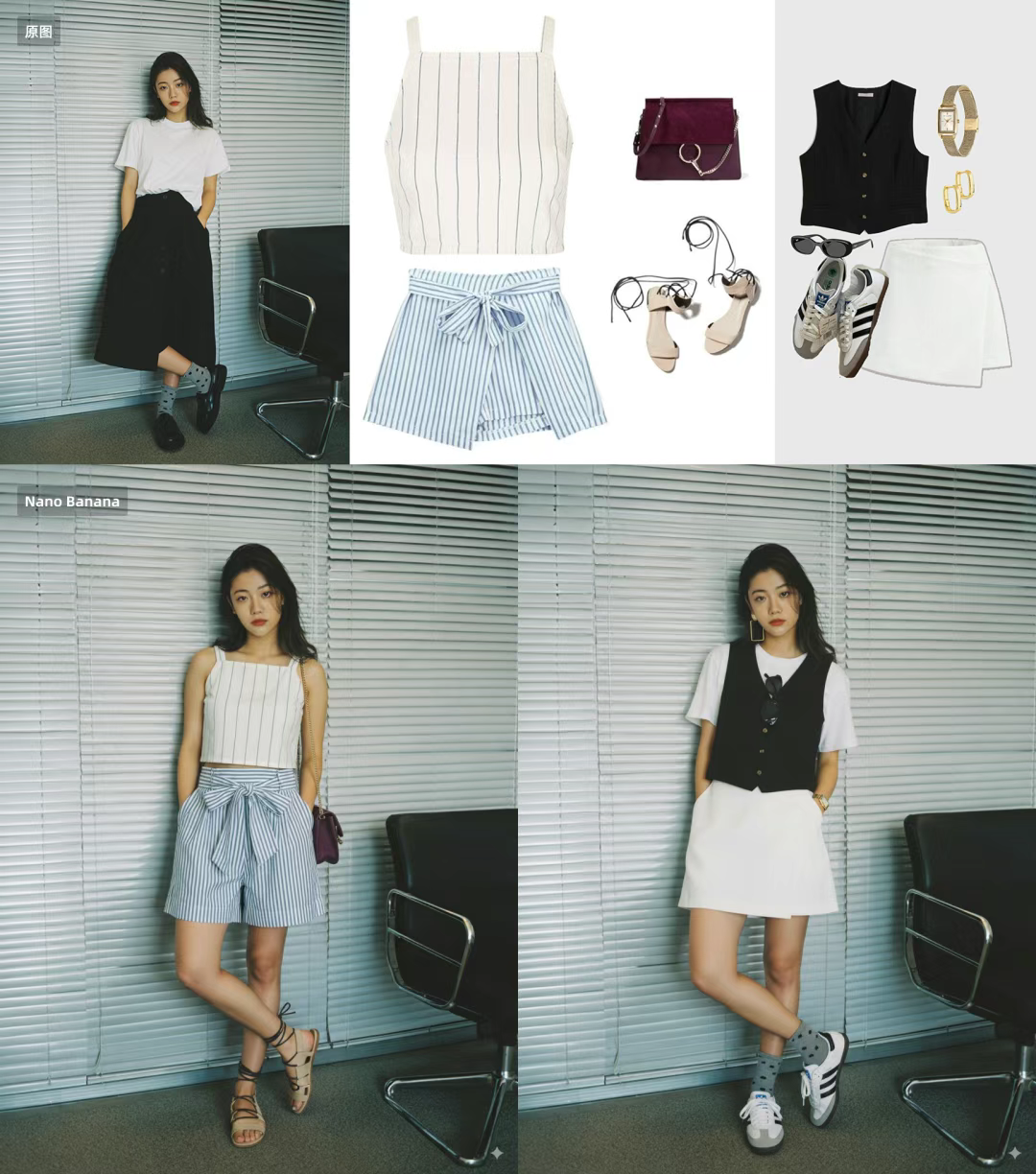
2.4 多元素组合
X 网友 Travis Davids 分享了一种「拼贴法」:
- ✂️ 先自己拼一张拼贴画,把所有要出现的物品(鞋子、眼镜、耳机、相机、手表等)放在一张参考图里。
- 🏷️ 在拼贴画里给每个物品打标签,比如在鞋子上写「white sneaker」,在耳机上写「headphone」。
- 📤 上传这张拼贴画作为参考图,然后在 prompt 里用和标签一致的名称描述这些物品。

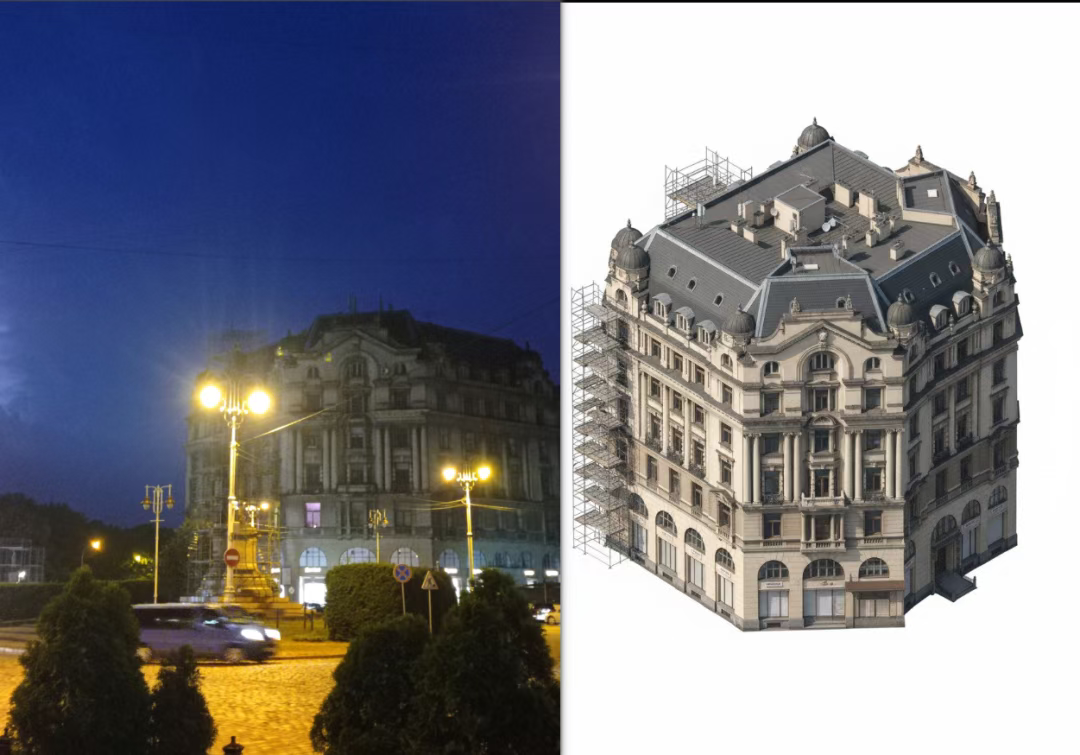
2.5 平面转建模
网友分享了一种「平面→立体城市」做法:
- 🗺️ 可以是一张城市平面/总图,放进建筑轮廓、道路网、绿地水体、等高线。
- ✍️ 在平面图上直接给每个要素指定好,让模型把二维几何变成体量。例如建筑地块:height=80m / 25 floors、use=office/mixed-use、façade=glass curtain wall / brick、roof=green / gable,尽量「可计算」(数值、枚举、间距),少用形容词。
- 📤 上传这张标注平面作为参考图,在提示词里逐条“复述标签+指定三维约束”,让模型规则立起来。例如:视图/相机:orthographic isometric cityscape, axonometric 30°, match north, scale 1:1000。
- 生成逻辑:extrude building footprints to labeled heights and floors; preserve road curvature; follow lanes/width; loft bridges over river; terrain from contours
- 风格与细节:LOD=2-3, minimal street furniture, GI lighting, overcast HDRI / clay render / watercolor
用这三步,模型就能从一张平面图,倒推出比例统一、风格一致的立体城市景观——推理能力,战绩可查。
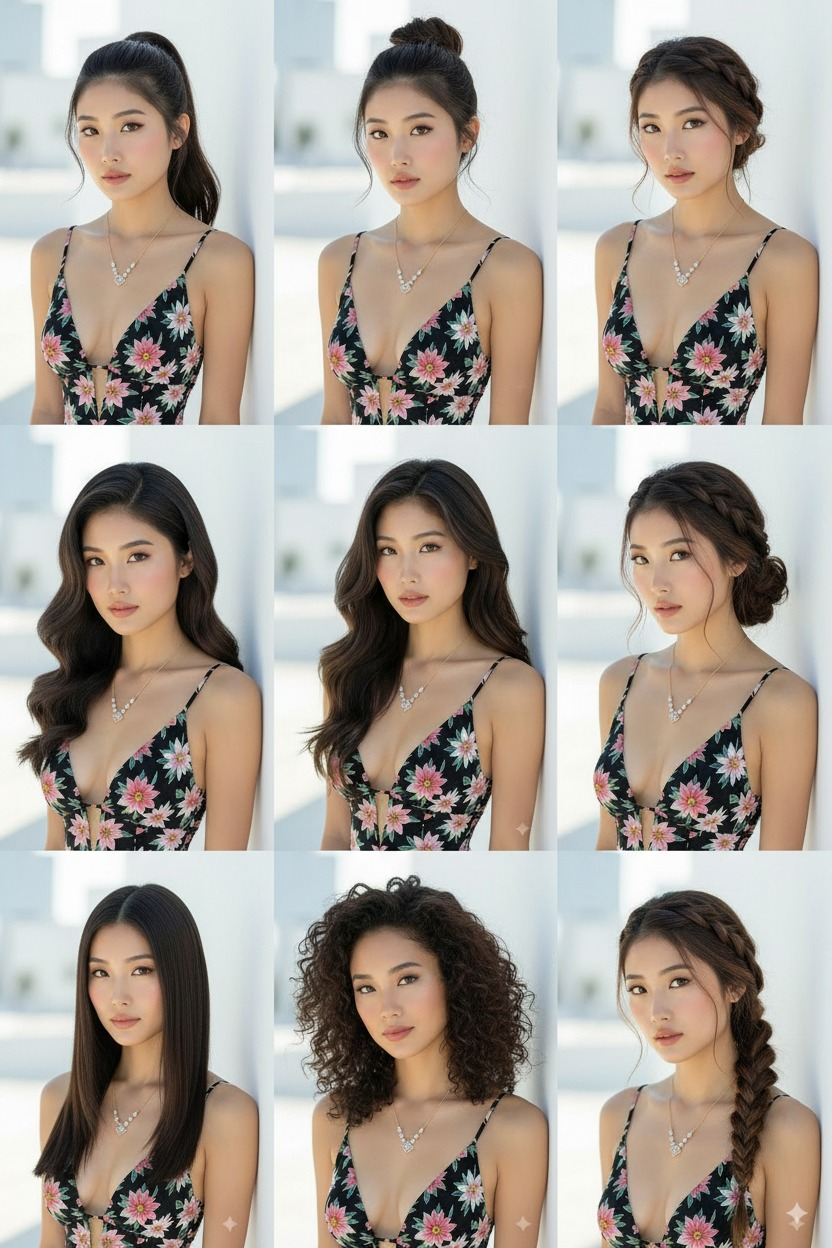
2.6 九宫格发型
提示词: 提供9种不同的发型设计,输出在一张照片,可以特写不同的发型进行展示。
文章分享
如果这篇文章对你有帮助,欢迎分享给更多人!
部分内容可能已过时